
Leads and qualifying
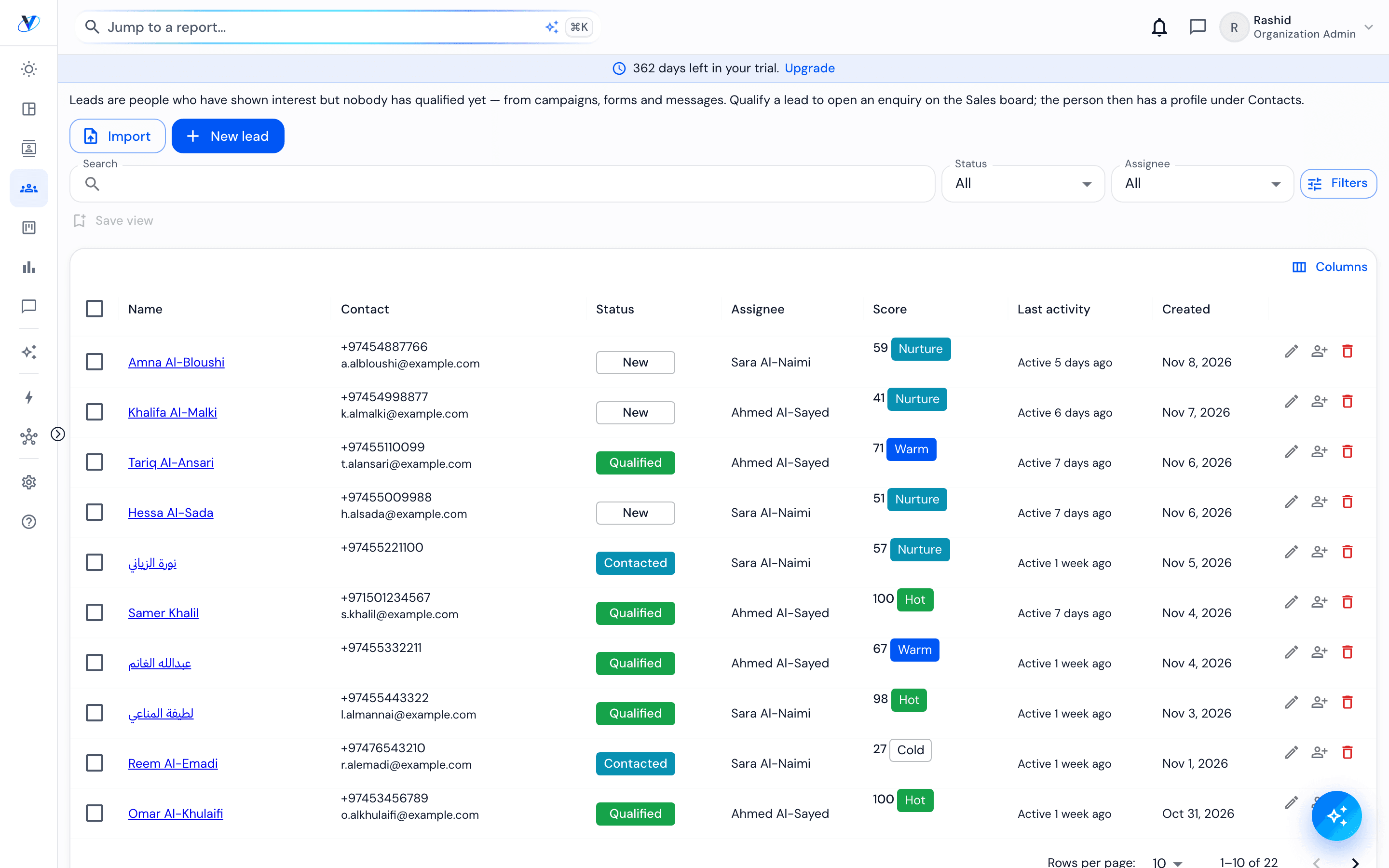
A lead is a person who has come in through any channel: a WhatsApp message, a website form, a Meta lead ad, a call, a walk-in or an import. The Leads list holds everyone still being worked. Qualifying a lead is what opens an enquiry, and the person is kept as a Contact for life, whatever happens to the lead.
How it works
- 01
See where a lead came from
The source is recorded the moment the lead arrives: the channel, and for a lead ad or a form, the campaign or form it came through. It travels with the lead into the enquiry, so Reports can count what each source produced.
- 02
Nobody is entered twice
Every way in checks the people you already have. If someone already has an open lead, a new message or form joins it instead of making a second one.
- 03
Capture a walk-in
On Vorniqe Mobile, press the plus and choose Capture a walk-in: name, phone, what they asked about, how ready they are, budget and timeframe. On the desk, the Dashboard has a Walk-in button. Someone allowed to approve walk-ins opens an enquiry at once; anyone else's waits for that approval.
- 04
Qualify the lead
When you know who they are and what they are after, qualify the lead. Qualifying opens the enquiry, the one record of this purchase decision, and its stage starts there. A call can open an enquiry directly.
- 05
Follow up in time
Each new lead starts a first-contact clock inside your opening hours: a warning at 15 minutes, an escalation at 30 and reassignment at 60. A lead nobody reaches after five attempts over fourteen days closes for no response, and reopens if the person comes back within 90 days. An admin can change these settings.
Worth knowing
A lead is a person, not a sale. One person can go on to have several enquiries, each its own purchase decision.
Closing a lead never deletes the person: the Contact, their conversations and their history stay.